How to Get a Taxi from Oxenholme Station: A Practical Guide
- Terry Turtle
- 3 days ago
- 19 min read

Picture this: you’ve just stepped off the train at Oxenholme, the rain is drizzling, and the thought of lugging your suitcase across the platform feels like a marathon.
Does that moment make you wish a friendly taxi was waiting right there, ready to whisk you away to Kendal, Milnthorpe or even the charming village of Levens?
We get it. Getting a reliable taxi from Oxenholme station can feel like hunting for a needle in a haystack, especially during peak times when other firms are slammed.
In our experience, the biggest hassle isn’t the fare – it’s the uncertainty: “Will there be a cab when I need it? Is the driver trustworthy? Can I bring my dog along?” Those questions echo in the minds of locals and visitors alike.
Here’s the good news: there are a few simple tricks that take the stress out of the ride. First, think about booking ahead. A quick phone call or a few taps on an app guarantees a driver is waiting, rain or shine.
Second, consider the little details that make a journey pleasant – a driver who knows the quickest route to the Lake District, a vehicle with enough boot space for a shopping haul, or a pet‑friendly option for your furry companion.
And if you’re travelling with a group, a larger taxi can save you the headache of juggling multiple rides.
So, what should you do next? Start by jotting down your arrival time, the number of passengers, and any special needs. Then, give a local service a ring – we’ve seen families from Burton‑in‑Kendal and hikers heading to the Lakes benefit from a quick, personal chat.
By planning ahead, you turn that rainy platform moment into a smooth, comfortable start to your day.
Ready to make your next trip from Oxenholme station effortless? Let’s dive in and explore the best ways to secure a taxi that fits your schedule and your pocket.
TL;DR
A taxi from Oxenholme station is just a phone call or app tap away, giving you a reliable ride to Kendal, Milnthorpe, Levens or any nearby village, even in rain.
Book early, note passenger count and pet needs, and you’ll avoid the platform scramble, enjoy a smooth start, and keep your travel budget happy.
Step 1: Locate the Taxi Rank at Oxenholme Station
You've just stepped off the train, the platform is buzzing and maybe a drizzle is sneaking in. The first thing on your mind? Finding the taxi rank before your luggage decides to take its own tour of the station.
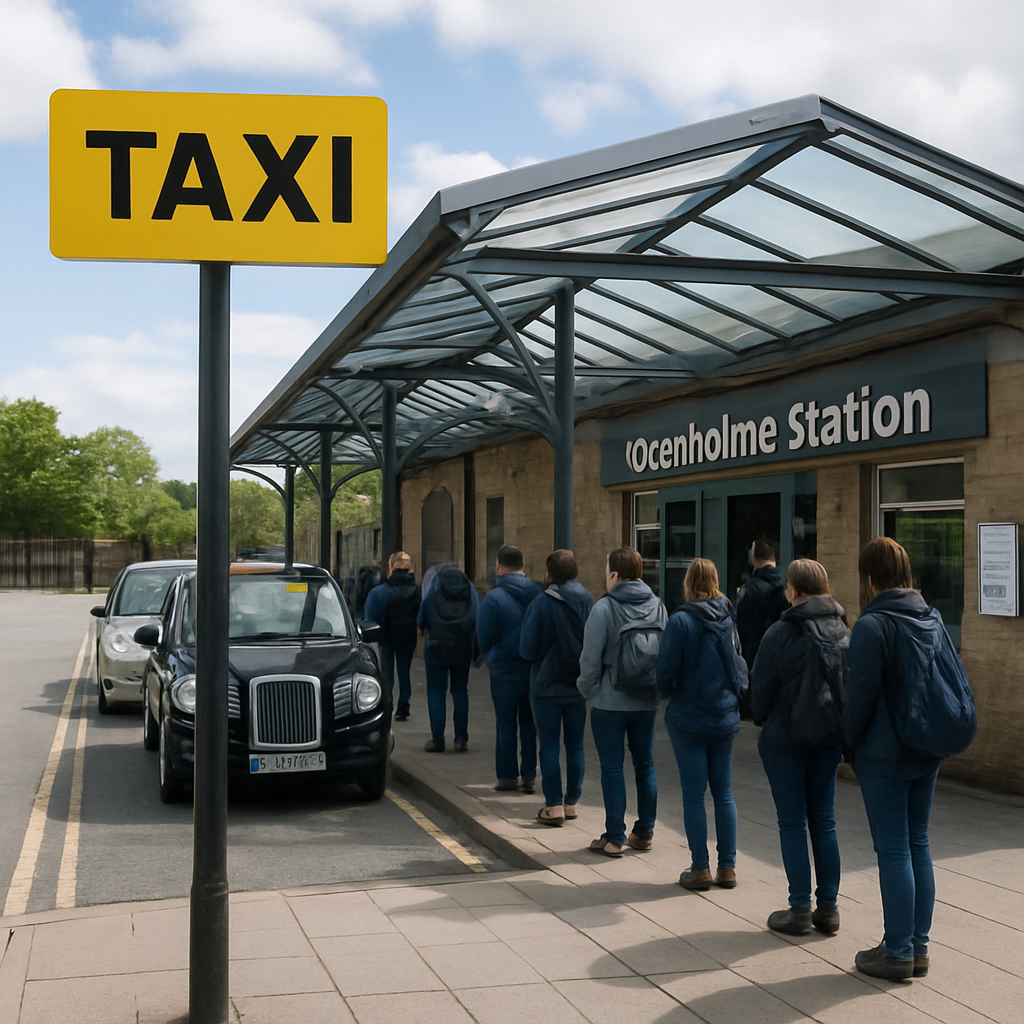
At Oxenholme the rank isn’t hidden behind a wall of advertisements – it sits just outside the main entrance, right next to the station’s ticket office. If you follow the flow of arriving passengers, you’ll see a clearly marked “TAXI” sign about ten metres from where you exit the doors.
What the sign looks like
The sign is a bright yellow board with a black taxi silhouette. It’s positioned on a low‑level pavement, so even if you’re juggling a suitcase and a stroller you can spot it without squinting. A few benches sit nearby; they’re a good place to wait while the driver pulls up.
Tip: on rainy days the shelter at the rank is a lifesaver. Look for the small glass canopy that shelters the queue – it’s easy to miss if you’re hurrying, but it keeps you dry while you wait for a taxi from oxenholme station.
Checking the live board
Oxenholme station also runs a digital board that lists which taxi firms are currently on‑site. The board updates every few minutes, so you’ll know whether a local company or a larger service is waiting. If the board shows “No taxis” you can still flag down a driver at the rank – many operate on a “first‑come, first‑served” basis.
And if you prefer to arrange your ride ahead of time, a quick call or app booking means a driver will be waiting right at the same spot when you arrive. In our experience, a pre‑booked taxi cuts the waiting time to under five minutes, even during peak travel periods.
For those who occasionally need a tow or a vehicle rescue while on the road, it’s worth knowing that services like Cary Towing operate in the area and can be called from the same platform.
Watching the short video above will show you exactly where the rank sits relative to the ticket office and the platform exit – a quick visual cue that can save you a few steps when you’re in a hurry.
If you’re traveling with a pet, make sure to mention it when you book. Many drivers at the rank welcome well‑behaved dogs, but a quick heads‑up avoids any surprise at the door.
Another handy trick is to scan the side of the rank for a QR code. Scanning it opens a local booking portal that connects you directly with services like Taxi Express 24/7 , which offers 24‑hour coverage around the Lake District.
Finally, give yourself a moment to look around. The rank is usually flanked by a small kiosk selling newspapers and a coffee stand. Grab a hot drink, check your phone for the driver’s details, and you’ll be set for a smooth ride to Kendal, Milnthorpe, Levens or wherever your day is taking you.
Now that you know exactly where the rank lives, you can step off the train with confidence and hop straight into a waiting cab.
Step 2: Decide Between Hailing and Pre‑booking
Now that you’ve spotted the rank, the next question is whether to wave down the next cab or to have one waiting for you. Both approaches have pros and cons, and the right choice often comes down to how you feel about time, weather, and the size of your party.
Hailing a Taxi on the Spot
If you’re the kind of traveller who likes to keep things spontaneous, raising your hand as the queue moves forward works fine most days.
A quick glance at the line tells you how long you’ll wait – if there are only one or two cars ahead, you’re probably fine.
What we’ve seen work best is to check the driver’s sign for any pet‑friendly or luggage notes before you hop in. A driver with a “large boot” badge is a good sign if you’ve got a suitcase and a hiking pack. And if you have a dog, a quick “Is your car dog‑ready?” can save you a awkward moment later.
Tip: during peak commuter times (07:30‑09:00 and 17:00‑18:30) the rank can stretch out. In those moments, a brief phone call to a local firm – even just to confirm they have a vehicle nearby – can give you peace of mind without the need for a full pre‑book.
Pre‑booking: When and How
Pre‑booking shines when the weather is miserable, you’re travelling with a group, or you need a specific vehicle type. By securing a taxi before you even step off the train, you eliminate the guess‑work and often lock in a fixed fare.
Here’s a simple three‑step routine we recommend:
Open your favourite booking app or the Minicabit page linked from the Avanti West Coast site.
Enter “Oxenholme station” as the pickup point and your destination – Kendal, Milnthorpe, Levens, or any of the surrounding villages.
Select any extra requirements (pet‑friendly, extra luggage space, wheelchair access) and confirm.
Once you’ve booked, you’ll get a driver’s name and car description. Keep that on your phone – it’s handy for spotting the cab in the rank and for letting the driver know you’ve already paid or will pay cash on arrival.
Why pre‑book? Imagine you’ve just finished a morning hike up Grasmere and your boots are soaked. A pre‑booked taxi means you can walk straight to the driver, load your gear, and be on the road before the rain gets any worse. The same logic applies for families with toddlers who need a car seat, or for a group of four heading to a weekend market in Milnthorpe – a larger vehicle can be requested ahead of time, avoiding the need to juggle two separate rides.
And if you’re a regular TTTaxis customer, you can even store favourite settings in the app, making the whole process a matter of a few taps.
After watching the short video, you’ll see exactly how the booking screen looks and how the driver’s details appear. It’s a quick visual guide that removes any last‑minute uncertainty.
So, which route should you take? If you’re comfortable with a short wait and the queue looks thin, hailing is a breeze. If you’re juggling luggage, a dog, or a tight schedule, pre‑booking is the safer bet. Either way, a little forethought means your taxi from oxenholme station arrives exactly when you need it, rain or shine.
Step 3: Watch Our Quick Guide Video
Alright, you’ve just decided whether to hail or pre‑book – now the next logical step is to hit play on the short video we’ve tucked in earlier.
Why a video helps more than a paragraph
Ever tried to picture a taxi rank from a block of text and ended up standing in the wrong spot?
Seeing the screen in action wipes out that guesswork. You get a visual cue of where the “Confirm” button lives, how the driver’s name pops up, and even the little “Pet‑friendly” badge you might have missed in a screenshot.
That little visual reassurance is why many travellers say “I felt a lot calmer after watching the guide”. It’s the difference between “I hope I’m doing this right” and “I know exactly what to tap”.
What to look for in the guide
First, notice the pickup location field. It’s pre‑filled with “Oxenholme station” – that saves you a typing error that could send the driver to the wrong platform.
Next, watch how the fare estimate appears before you hit “Book”. That moment lets you decide if you need a larger vehicle or a pet‑friendly option before you’re locked in.
Also, pay attention to the driver‑details screen. The driver’s photo, car model, and licence plate all show up in a single glance. That’s the part that helps you spot your cab in the queue without having to wave wildly.
Finally, the confirmation screen flashes a QR code you can show the driver. If you’re travelling with a toddler or a dog, that QR code is a quick way to prove any special request you added.
How to use the video on the go
Got a few minutes in the station café? Pull out your phone, tap the video, and watch it with earbuds on – you’ll still hear the background chatter, but the guide’s voice stays clear.
If you’re on a limited data plan, download the video beforehand (the link on our site lets you save it). Then you can replay it while you’re waiting in line, without worrying about spotty Wi‑Fi.
Tip: pause after each step and mimic the tap on your own booking app. That little rehearsal turns a passive watch into an active practice.
Quick checklist after watching
Confirm “Oxenholme station” is the pickup point.
Verify the fare estimate matches your budget.
Check the driver’s name and car details.
Make sure any pet‑friendly or extra‑luggage options are ticked.
Save the QR code or note the booking reference.
Cross‑checking this list in real time means you’ll stride to the rank with confidence, rather than second‑guessing every tap.
So, what should you do next? Hit play, follow the steps, and let the visual walk‑through lock the process in your mind. When the taxi pulls up, you’ll already know exactly which door to open and where to place your suitcase.
And remember, if anything feels fuzzy after the video, you can always give us a quick call – we’re just a phone‑ring away, ready to clarify any last‑minute question.
With the guide under your belt, booking a taxi from Oxenholme station becomes as easy as ordering a coffee on a rainy morning – simple, familiar, and totally doable.
Give it a try on your next trip and notice how the stress melts away, leaving more time to enjoy the Lake District scenery.
Step 4: Pay the Right Fare and Use Apps
When you finally see that tidy black cab pull up to the rank, the first thing on your mind is usually “how much will this cost?” – and that’s a good instinct. Paying the right fare isn’t just about keeping your wallet happy; it’s about avoiding that awkward moment where the driver pulls out a calculator and you’re left scrambling for change.
Luckily, most local firms around Oxenholme, including us at TTTaxis, operate on a clear, pre‑agreed fare structure for common routes – Kendal, Milnthorpe, Levens and the surrounding villages. That means you can get a solid price before you even step out of the train carriage, as long as you use the right app.
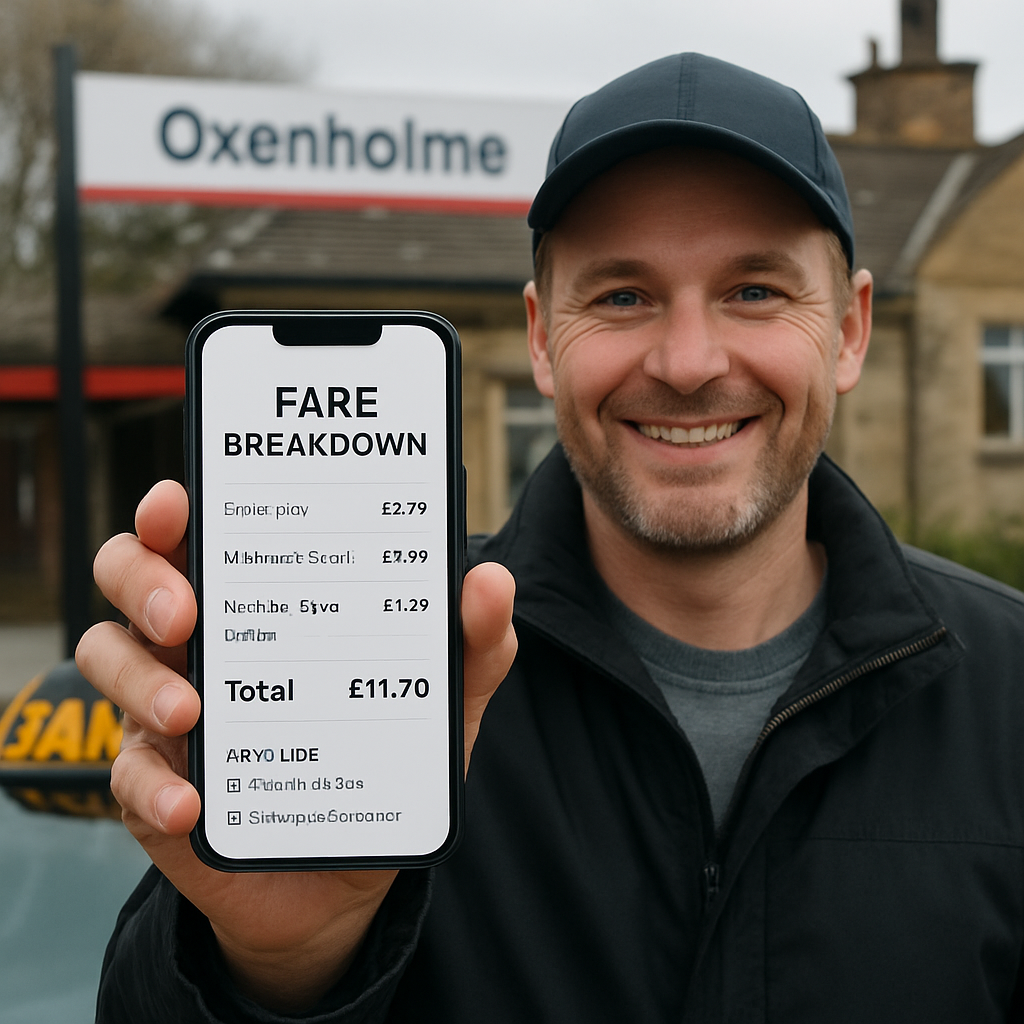
Open your favourite booking app and type “Oxenholme station” as the pickup point. The screen will instantly flash a fare estimate – often a fixed amount for the distance to the town centre, plus a small surcharge for luggage or a pet. If the figure looks wildly different from what you expected, pause and double‑check the pickup location (sometimes the app defaults to “Oxenholme Road” instead of the station) and any extra options you may have ticked.
Most apps let you lock in that estimate with a single tap. When you hit “Confirm”, the price is effectively sealed; the driver can’t charge you more once they see the QR code on your phone. This is a huge relief on rainy days when you’re juggling a suitcase, a stroller and a nervous terrier.
Now, about the actual payment method. In the Lake District, cash is still king for a lot of small operators, but the majority of drivers – especially those we work with – accept contactless card or mobile wallets. If you prefer to go cash‑free, look for the little card icon on the confirmation screen. It tells you the driver’s terminal is ready for tap‑and‑go, and you’ll get a digital receipt emailed straight away.
Speaking of receipts, always request one, even if the app promises an e‑receipt. A printed slip can be a lifesaver if you need to claim the expense for work or if you notice a discrepancy later. Most drivers will hand it over without fuss, but a polite “Could I have a receipt, please?” never hurts.
Here’s a quick tip that saves a few pounds: some apps offer “off‑peak” discounts or loyalty credits after a certain number of rides. Keep an eye on the promotions tab – you might snag a £2‑off coupon for your next journey to Kendal, which adds up nicely if you travel weekly.
What about tipping? It’s not mandatory, but if the driver helped with heavy bags or gave you a scenic shortcut, a small tip (5‑10% of the fare) is appreciated. Most contactless terminals let you add a tip before the transaction completes, so you don’t have to fumble with coins.
And don’t forget to double‑check the driver’s name and car registration on the app before you climb in. A quick glance at the licence plate matches the QR code on your screen, and you’ll feel confident you’re getting into the right vehicle – no surprises, no rogue fares.
Finally, keep this short checklist handy on your phone or write it on a scrap of paper:
Confirm the fare estimate matches the route you need.
Check whether the driver accepts contactless or cash.
Verify the driver’s name, car model and licence plate.
Ask for a receipt, digital or printed.
Look for any discount codes or loyalty credits before you tap “Book”.
Stick to these steps and you’ll walk away from the rank feeling in control, not confused. Whether you’re heading to a business meeting in Kendal, a weekend market in Milnthorpe, or a lakeside walk from Levens, paying the right fare and using the right app turns a rainy platform scramble into a smooth, stress‑free start to your day.
Step 5: Compare Taxi Options and Prices
Alright, you’ve got a ride waiting – but which one gives you the best bang for your buck? It’s easy to feel swamped when you see a few cars lined up and a jumble of prices on your phone. Let’s break it down, piece by piece, so you can pick the option that fits your budget, luggage load, and peace‑of‑mind.
Why a side‑by‑side look matters
Ever walked into a shop, saw three similar products, and left empty‑handed because you weren’t sure which was the real deal? The same thing happens with taxis. A quick comparison lets you spot hidden fees, see who actually offers a pet‑friendly boot, and avoid the dreaded surprise fare at the end of the journey.
Three common ways to catch a taxi from Oxenholme station
Option | Typical Price (Oxenholme → Kendal) | Key Features |
TTTaxis pre‑booked | £12‑£14 fixed | Fixed fare, driver name shown, pet‑friendly flag, vehicle size choice, receipt emailed |
Hail on the rank (metered) | £13‑£17 (depends on traffic) | Pay on the spot, no advance price, driver may not have pet‑ready badge, varies by vehicle |
Ride‑share app (e.g., local booking platforms) | £11‑£15 (dynamic pricing) | Price shown before booking, can add luggage/pet options, digital receipt, often contactless only |
Notice the price overlap? The fixed‑price pre‑book from TTTaxis often lands in the sweet spot, especially when you add a pet or extra luggage – those extras can push a metered fare past £18 without you even noticing.
Real‑world scenarios
Imagine you’re arriving after a rain‑soaked hike, boots squelching, and you’ve got a nervous terrier in a carrier. You pull out the TTTaxis app, lock in a £13 fixed fare, and see a “dog‑friendly” badge right next to the driver’s name. No need to ask at the door, no surprise charge for the extra boot space.
Now picture a family of four heading to the weekend market in Milnthorpe. They decide to hail a cab on the rank because they think it’ll be quicker. The driver’s meter starts at £13, but heavy traffic adds another £4 before they even leave the station. By the time they get to the market, the bill is £17, and the kids start complaining about the extra cost.
Finally, a solo business traveller with a tight schedule books through a ride‑share app. The app shows a £12 estimate, but because it’s peak hour, the price jumps to £15 right before confirmation. He still gets a digital receipt, but now he’s paying a premium for convenience.
How to compare – a quick checklist
Check if the price is fixed or estimated. Fixed = no surprise.
Look for pet‑friendly or extra‑luggage icons before you confirm.
Confirm payment method – cash vs contactless – and whether a receipt is auto‑sent.
Read the driver’s rating (if the platform shows it) to gauge reliability.
Ask about any surge or peak‑time surcharge that might not be included.
When you line these up, the decision becomes a lot clearer. If you value certainty, the pre‑booked option wins. If you’re flexible and the queue is short, hailing might save a few pounds – just be ready for the meter to tick up.
Expert tip from the road
What we’ve seen work best for regulars in Kendal, Milnthorpe and Levens is to set a price alert in the booking app. Most apps let you save a “favorite route” (Oxenholme → Kendal) and they’ll ping you if the price deviates more than £1 from your usual fare. It’s a tiny habit that stops you overpaying during unexpected traffic jams.
And if you’re travelling with gadgets that need charging – think a phone that’s dead after a morning of navigating the Lakes – you might want to pick up a travel charger from Plug & Carry . A quick power‑up makes the short taxi ride feel even smoother.
Putting it all together
So, what’s the next step? Grab your phone, pull up the TTTaxis booking screen, lock in that fixed £13 fare, and double‑check the pet‑friendly badge if you’ve got a furry friend. If the rank looks short and you’re okay with a meter, give the driver a friendly wave and keep an eye on the fare display.
Either way, you now have a clear side‑by‑side view, a handy checklist, and a real‑world example to guide you. No more guessing, no more awkward cash‑scrambling at the end of the ride – just a smooth, predictable journey from Oxenholme station to wherever you need to go.Step 6: Tips for a Smooth Journey and Payment OptionsWe've walked through finding the rank, deciding whether to hail or pre‑book, and even watched the quick video – now it's time to make sure the ride itself goes off without a hitch.Know your payment landscape before you step outOne of the biggest surprises travellers have is discovering that the driver only takes cash, or that the card machine is out of order. A simple glance at the app’s confirmation screen usually shows a little card icon – that means contactless or mobile‑wallet payments are ready. If the icon is missing, give the driver a quick heads‑up before you climb in and ask whether they accept card or cash.In our experience, most local drivers in Kendal, Milnthorpe and Levens have upgraded to contactless because tourists love the tap‑and‑go speed. Still, it never hurts to keep a few pounds handy for those rare cash‑only situations.Lock in the fare, then double‑check the detailsWhen you hit “Confirm” in the booking app, the price you see is the amount the driver is contractually obliged to charge. That fixed fare protects you from a meter that suddenly spikes because of traffic or a detour.After you’ve booked, take a second to verify three things: the pickup point is set to “Oxenholme station”, the vehicle size matches your luggage or pet needs, and the driver’s name and licence plate appear on the screen. A quick match with the cab parked at the rank saves you from hopping into the wrong vehicle.Carry a small “payment cheat sheet”It might sound old‑fashioned, but jotting down a one‑line note on your phone or a scrap of paper can be a lifesaver. Write something like: “£13 fixed, contactless, driver: John, plate AB12 CDE”. When the driver greets you, you can confirm “John, right? Same £13 we booked?” and both of you start on the same page.Even if you’re using a QR‑code on the screen, confirming the details verbally builds trust and cuts down the awkward “what’s the fare again?” moment.Tips for a smooth ride once you’re in the cabThink about the little things that turn a plain trip into a pleasant experience. If you’re lugging a suitcase, ask the driver to help with the boot – most will gladly unload it for you. If you have a nervous dog, a quick “Could we keep the window slightly down?” can calm both you and the pup.And don’t forget the simple courtesy of confirming the route. “Are we taking the A590 today?” lets the driver know you’ve done a bit of research and gives you a chance to suggest a scenic shortcut if you’re not in a hurry.When things go sideways – quick recovery movesSometimes the driver’s phone glitches, the fare display freezes, or the card reader won’t read your card. In those moments, keep calm and have a backup plan. Most drivers carry a spare card machine or will accept cash if you have it. If the issue is on the app side, open the booking history, find the ride, and hit the “Contact driver” button – a quick chat can resolve most hiccups.If you end up paying cash, ask for a printed receipt. It’s useful for expense reports and also gives you proof in case the driver later tries to claim a higher amount.Extra savings tricks you might not knowMany booking platforms roll out “off‑peak” discounts or loyalty credits after a handful of rides. Keep an eye on the promotions tab – a £2‑off coupon for a Thursday morning trip to Kendal adds up quickly if you travel weekly.Another little hack is to set a price alert for your favourite route. Some apps let you save “Oxenholme → Kendal” and will ping you if the fare drifts more than £1 from your usual price. It’s a painless way to avoid surprise surcharges during a traffic jam.Final quick‑check before you boardIs the fare locked in and matches the app’s estimate?Does the driver accept your preferred payment method?Do the driver’s name, car model and licence plate match what you see on the app?Have you asked about any pet‑friendly or extra‑luggage options?Do you have a small note or screenshot as backup?Run through that list in the minute before you step out of the station, and you’ll feel in control, not rushed.So, what’s the next move? Grab your phone, double‑check the fixed fare, confirm the driver’s details, and head to the rank with confidence. Whether you’re heading to a business meeting in Kendal, a weekend market in Milnthorpe, or a lakeside walk from Levens, these small steps turn a potentially stressful ride into a smooth, predictable journey.ConclusionWe've walked you through every step of catching a taxi from Oxenholme station, from spotting the rank to locking in a fair fare and double‑checking the driver’s details.At the end of the day, the trick is simple: plan just enough to feel in control, then let the ride happen. A quick glance at the app, a tiny note of the £‑fixed price, and a friendly "Is this the right cab?" can turn a potentially stressful moment into a smooth transition.So, what should you do next? Pull out your phone, confirm the £‑fixed fare you saw, match the licence plate, and give the driver a quick smile. If you’re travelling with a pet from Burton‑in‑Kendal or a suitcase to Levens, remember to flag those needs early – most drivers appreciate the heads‑up.In our experience, the few seconds you spend on that final checklist pay off in peace of mind and a predictable journey to Kendal, Milnthorpe or any nearby village.Next time you step off the train, treat the taxi as the last piece of your travel puzzle. A little preparation means you arrive where you need to be, relaxed and ready to enjoy the Lake District.Ready to give it a try? Book your next ride with us and see how effortless a taxi from Oxenholme station can be.FAQHow do I book a taxi from Oxenholme station?The simplest way is to open the TTTaxis app or visit our booking page, type “Oxenholme station” as the pickup, choose your destination – Kendal, Milnthorpe, Levens or any nearby village – and hit “Confirm”. You’ll see a fixed fare, the driver’s name, car model and licence plate before you even step off the train. If you prefer a phone call, just dial the number listed on the app and a dispatcher will lock in the same details for you.Can I get a pet‑friendly taxi from Oxenholme station?Absolutely. When you’re filling in the booking form, tick the “pet‑friendly” box and a badge appears next to the driver’s name. Most of our fleet have rear‑boot space and a strap for a carrier, so your dog or cat can travel safely. It’s worth mentioning the animal’s size in the notes field – a large Labrador may need a slightly bigger boot, and the driver will confirm before arriving.What’s the typical cost of a taxi from Oxenholme station to Kendal?For the standard route to Kendal we charge a fixed £12‑£14, depending on the time of day and any extra luggage or pet requirements. The price you see in the app is locked in, so there are no surprise meter readings at the end of the journey. If you’re travelling during a peak period or need a larger vehicle, the fare might edge up a couple of pounds, but you’ll always know the total up‑front.Do I need cash, or can I pay by card?Both options are accepted. Our drivers are equipped with contactless terminals, so a tap‑and‑go card or mobile wallet works in most cases. If the terminal is offline or you simply prefer cash, just have a few pounds ready – the driver will let you know before the trip starts. The receipt, whether printed or emailed, will match the amount you agreed on in the app.What should I look for on the driver’s licence plate and name?When the cab pulls up, compare the licence plate and the driver’s name on the app with what’s displayed on the vehicle. A quick “John, right?” or “AB12 CDE, that’s you?” confirms you’re getting into the right car and avoids any mix‑ups with other taxis on the rank. It also gives you a moment to double‑check the pet‑friendly badge or extra‑boot space before you load your bags.Is it safe to hail a taxi on the rank at peak times?Yes, the rank at Oxenholme is monitored by local operators and most drivers know the usual routes to Kendal, Milnthorpe and Levens. During the 07:30‑09:00 and 17:00‑18:30 rush, the queue can stretch, so keep an eye on the driver’s sign for pet or luggage notes. If you’re in a hurry, a quick call to pre‑book a ride costs you a few seconds but guarantees a fixed fare and the right vehicle.What if my luggage or equipment is too big for a standard cab?When you book, select the “extra luggage” option – the system will automatically suggest a larger vehicle, often a minibus, that can accommodate surfboards, hiking gear or several suitcases. If you’re already at the rank, simply ask the driver if they have a bigger boot or a van available. Most local drivers keep a larger vehicle on standby during busy periods, especially for travellers heading to the Lake District with bulky items.


Comments